
Always the right instruction, exactly where it is needed
An employee is standing at a machine, a driver arrives at a loading location or an external technician performs maintenance. At that moment, you do not want to search for the right instruction.
With THAR's QR-code instructions, everyone can access the latest work instruction, video, manual or e-learning course within seconds, simply by scanning a QR code.
QR code in the workplace
Scan at the machine, open the right instruction
Scan experience
9:41


QR Code Created
Your QR code is ready to use
Health & Safety Basics QR
https://thar.app/qr/health-safety-basics


Done

Instant access
Employees open info in seconds

Always up to date
Update content without printing new QR codes

No app required
Access instructions directly in any browser
How QR-code instructions work
01
Create or select content
Develop a work instruction, video, handbook or e-learning course in THAR.
02
Link a QR code
Connect the content to a QR code.
03
Place it where it is needed
Place the QR code on the relevant machine, workstation, product, vehicle or location.
04
Scan and view
The user scans the QR code and accesses the relevant information.

Create and manage QR codes from THAR
THAR provides a centralized QR code administration dashboard. Generate batches of tracking links, link them instantly to operating procedures, monitor scan events, and update content linkages on the fly without changing physical labels.

Real-time scan counter and analytics
Track scans as they happen and keep a clear history of engagement across your fleet.
Batch download vector assets for print
Export high‑quality vector QR codes ready for labels, signage, and production runs.
Broken link safety auto-rerouting
Automatically redirect scans to a safe fallback when a linked procedure is removed or updated.
Information should be available exactly when you need it
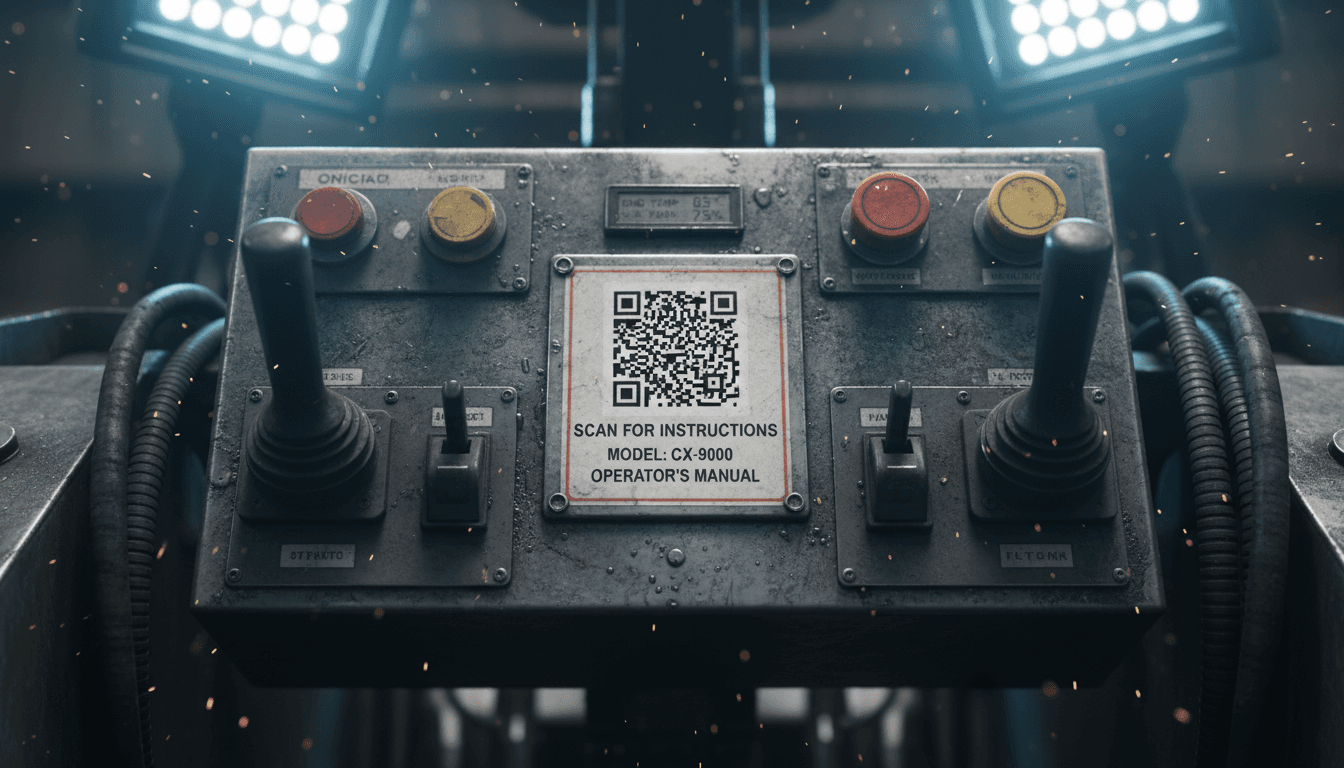
Work instructions often disappear into binders, shared folders or separate PDFs. Employees then work from memory, ask colleagues for help or use outdated information. This takes time and increases the risk of errors. With THAR, you place knowledge exactly where it is needed: on a machine, vehicle, workstation, product or location.
On machinery
Inside vehicles
At workstations
In warehouses
In training environments
Near equipment





No more managing separate instructions
Publish once. Create or update an instruction once. Linked QR codes display the latest version. No need to replace QR codes. When a process changes, update the content while the QR code at the workplace remains the same. Always up to date. Employees access the latest version instead of outdated documents. Everything managed centrally. Manage QR codes, work instructions, videos and documents from THAR.
Safety Protocol #12
Step 1 - QR code on the floor
A physical QR label stays in place.

Safety Protocol #12
v1.0Step 2 - Employee scans & reads
Employees scan and view the current instructions.
THAR Admin
 Updated

Save & Publish
Step 3 - Admin updates in THAR
Admin edits and publishes the new version.
Safety Protocol #12
v2.0
Latest version
Step 4 - Same QR, updated instructions
The same QR code now routes to the updated instructions.
Also suitable for external users
Not everyone who needs an instruction has an account in your learning environment. That is why you decide who can view which information.
External audiences
QR-code instructions are useful beyond internal employees. Share the right information with the right people at the right moment.

Temporary workers
New temporary employees can open the right instructions immediately without first creating a full account.

Drivers and suppliers
Share loading and unloading procedures, safety rules and location information before they start work.

External technicians
Give maintenance companies direct access to machine instructions and maintenance procedures.

Visitors
Let visitors review safety instructions or site rules before entering the premises.

Customers
Give customers easy access to product information, manuals or user instructions via a QR code.
Public vs restricted access
Some QR codes can be publicly accessible, while others can remain restricted to logged-in users.

Public access
Useful for visitors, customers and external partners who only need to view approved information.

Restricted access
Keep internal procedures, safety protocols and confidential content visible only to logged-in users.
More than simply viewing information
QR-code instructions can do much more than open a document.
Safety Protocol #12
v1.0Read confirmation
Employees can digitally confirm that they have viewed an instruction.
Knowledge check
Use a short knowledge check to verify whether the instruction has been understood.
Usage tracking
Record who viewed an instruction and when.
Start training
A QR code can launch a complete e-learning course or practical instruction.
Report a fault
Employees can report an issue directly when something is not right.
SCAN → VIEW → INTERACT
Confirmed capabilities
These actions are part of the actual user experience and demonstrate what QR-code instructions can do beyond opening a document.

Confirm an instruction has been read
Employees can digitally confirm that they have viewed an instruction.

Test knowledge
Use a short knowledge check to verify whether the instruction has been understood.

Track usage
Record who viewed an instruction and when.

Start training immediately
A QR code can launch a complete e-learning course or practical instruction.

Report a fault or deviation
Employees can report an issue directly when something is not right.
See how instructions are being used
Stay in control of the quality of your work instructions without extra administration.
THAR Admin
QR code management and instruction usage
QR codes within the organisation
128 active
24 linked to safety procedures, 42 to machine instructions and 62 to operational tasks.
Content linked to each QR code
- Work instructions
- 94
- Videos
- 18
- Documents
- 12
- E-learning
- 4
Last updated
12 Jan 2026
The latest safety protocol was published this morning and is now visible to all linked QR codes.
Scan activity
- Total scans
- 2,184
- Most consulted machine
- Forklift A-12
- Most consulted location
- Loading dock 3
- Needs additional explanation
- 3 instructions
Explore more ways to work with THAR

Work instructions
Provide clear, step-by-step digital procedures for equipment, safety, and operational tasks.


Learning content
Easily author, upload, and organize varying multimedia formats and documentation for your teams.

Employee training
Structure compliance modules into highly digestible, easily searchable operational paths.
Frequently asked questions
No. You only update the content. The existing QR code continues to work and automatically points to the latest version.
Yes. You decide which QR codes are publicly accessible and which are only available to logged-in users.
Yes. QR codes can connect to work instructions, videos, images, documents, e-learning courses and digital handbooks.
Yes. The dashboard gives you insight into scans, usage and linked content.
Yes. Employees, visitors and external users can easily scan QR codes with a smartphone or tablet.
Give everyone direct access to the right information
Make knowledge accessible where it is needed. With THAR's QR-code instructions, employees, visitors and external parties can access the latest information without separate documents or unnecessary administration.